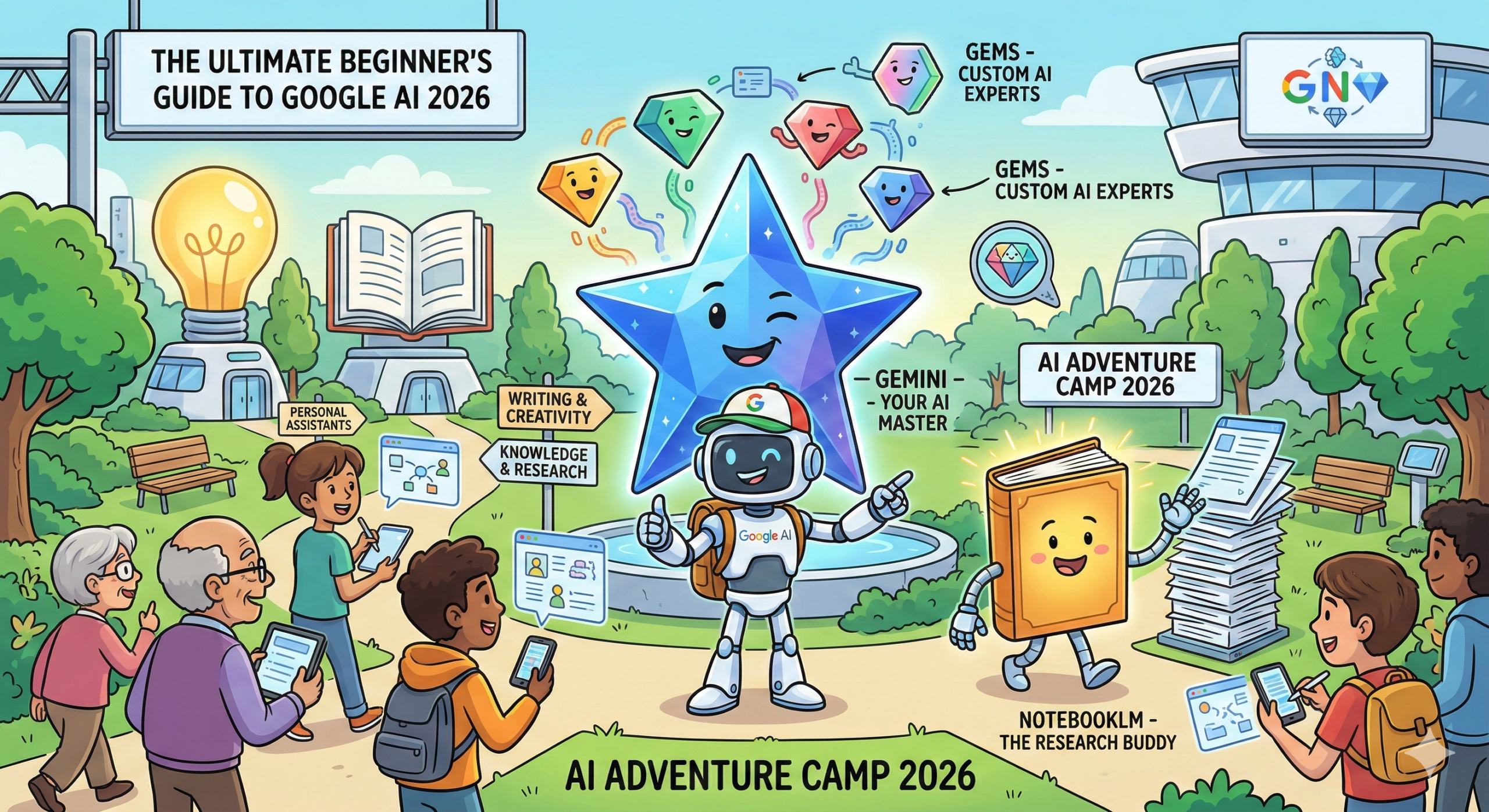
The Ultimate Beginner’s Guide to Google AI 2026: Master Gemini, NotebookLM, and Gems
Beyond the Chatbot: The Rise of Personal Intelligence
In 2026, artificial intelligence has evolved from a novel conversational utility into “Personal Intelligence”—a seamless, high-fidelity layer of support that intuitively understands your context, your history, and your long-term goals. Whether you are a student managing complex research, a professional streamlining enterprise workflows, or a casual user looking to stay organized, Google’s 2026 ecosystem offers a powerful, integrated toolkit designed to help you work with unprecedented precision.
This guide is designed for absolute beginners who want to move beyond basic chatting. We will break down the three core pillars of the modern Google AI world: Gemini, NotebookLM, and Custom Gems. By the end of this comprehensive tutorial, you will understand exactly how to navigate these tools to reclaim your cognitive bandwidth and amplify your creative potential.
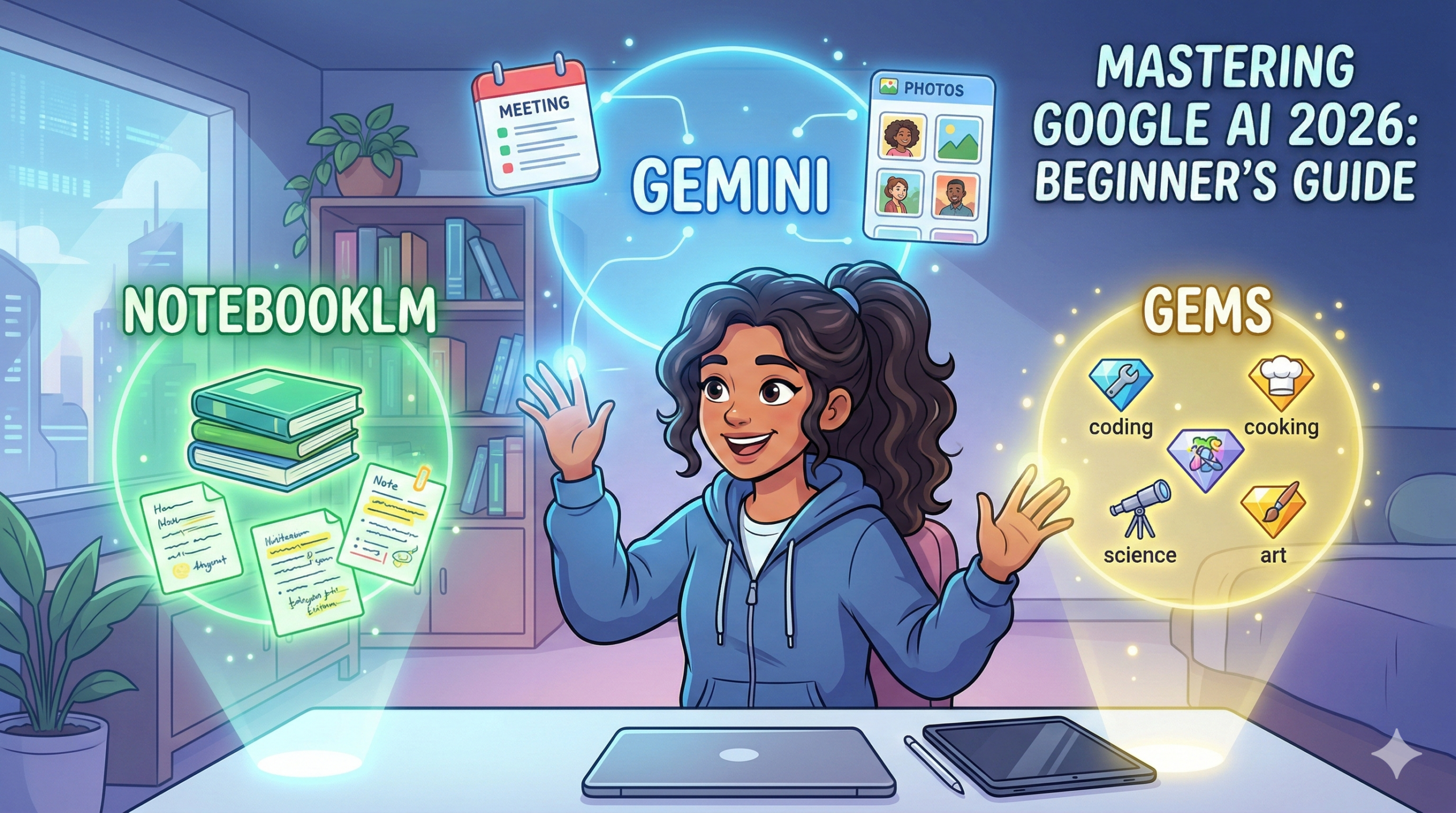
Key Takeaways (TL;DR)
- Personal Intelligence: Gemini acts as a secure bridge to your Gmail, Drive, and Photos, synthesized into a private knowledge graph that answers life-specific questions.
- The “Crossover”: A landmark 2026 feature allowing you to attach NotebookLM notebooks directly to Gemini chats, merging private grounded data with live web intelligence.
- Gems as Mini-Apps: Transform Gemini into a fleet of “AI Experts”—reusable mini-apps that strictly adhere to your unique stylistic and operational rules.
- Deep Research: An autonomous strategic agent that simulates hours of human browsing, analyzing over 100+ sources to deliver high-density reports.
- Algorithmic Literacy: The foundational skill of the late 2020s—moving from “querying” to “directing” AI systems through structured frameworks.
1. Tutorial: Getting Started with Google Gemini (Step-by-Step)
Google Gemini (accessible at gemini.google.com) is the primary interface of the ecosystem. In 2026, it is powered by the Gemini 3.1 architecture, a multimodal powerhouse capable of processing text, code, logic, and high-resolution video simultaneously. Its most striking feature is a massive 10-million-token context window, which essentially means it can “remember” the content of thousands of pages of text or hours of video in a single active session.
Step 1: Activate “Personal Intelligence”
Before you begin, you must unlock Gemini’s ability to act as your personal chief of staff. This transition moves the AI from a general knowledge engine to a personalized assistant.
- Open Settings: Click your profile icon in the top-right corner of the web or mobile interface.
- Select “Personal Intelligence”: Here, you will find the “Extensions” or “Knowledge Graph” settings. Toggle on the integrations for Gmail, Drive, Photos, and Calendar.
- The Privacy Guardrail: Note that this data is accessed only to fulfill your specific requests and is not used to train the general model.
- Test the Synergy: Try a complex query like, “Based on my recent emails from the contractor, what is the estimated completion date for the kitchen, and do I have any conflicting meetings on that day?” Gemini will synthesize information across your inbox and calendar to provide a unified answer.
Step 2: Navigating the 2026 Interface
The 2026 UI is designed for “Fluid Interaction.”
- The Multimodal Message Box: Beyond typing, you can now drag-and-drop entire folders or paste links to live YouTube streams. Notice the “+” (plus) icon—this is your primary tool for the “Notebook Crossover.”
- The Persistent Sidebar: This acts as your command center, housing “Recent Chats,” “Pinned Projects,” and your library of Custom Gems.
- Model Stratification: Use the selector to toggle between Flash (ideal for rapid drafting and scheduling), Pro (the default for complex logic), and Deep Think (a specialized mode that uses “Chain of Thought” reasoning to solve high-level math or physics problems).
Step 3: Mastering the “RPG” Prompting Framework
The difference between a mediocre response and a brilliant one lies in the structure of your prompt. Beginners should move away from one-word queries and embrace the RPG Framework:
- Role (R): Assign a specific professional identity. “You are a world-class investigative journalist with a focus on sustainable technology.”
- Purpose (P): Define the exact mission. “Analyze this 50-page technical whitepaper on solid-state batteries and identify three potential safety risks that the authors might have downplayed.”
- Goal/Audience (G): Set the tone and structure. “Explain these risks for a non-technical board of directors. Use an analogy-driven approach and output the final result as an executive summary with a 3-point action plan.”
2. NotebookLM Tutorial: Building Your Private Knowledge Brain
While Gemini is your broad assistant, NotebookLM (available at notebooklm.google.com) is your focused researcher. It is designed to operate in a “closed-loop” environment, meaning it prioritizes the facts in your uploaded documents over the general information found on the internet.
Step-by-Step: Creating Your First Project
- Initialize Your Notebook: Click “New Notebook.” Think of this as a digital “war room” for a specific topic, such as “Q4 Competitive Analysis” or “PhD Thesis Research.”
- The Ingestion Phase: Click the “+” icon to add your sources. In 2026, you aren’t limited to text. You can upload YouTube URLs (the AI will “watch” the video and index the transcript), Audio files (from lectures or meetings), and even Google Slides.
- Source Grounding: This is the most important concept for beginners. Because NotebookLM is “grounded,” every answer it gives will include a citation chip. Clicking this chip will jump you to the exact page and paragraph in your source document, ensuring you can verify every fact.
- Interactive Audio Overviews: Click “Generate” to create a realistic podcast where two AI hosts debate your research.
- 2026 Pro Feature: You can now click “Join Conversation” to become a third guest. You can say, “Hey, wait, can you explain that last point about the budget in more detail?” and the AI hosts will pivot their discussion to answer you in real-time.
THE CROSSOVER: Connecting NotebookLM to Gemini
The defining breakthrough of the 2026 ecosystem is the elimination of “silos.” You no longer have to choose between your private data and the live web.
- How to execute: Open a new chat in Gemini. Click the “+” (plus) icon in the message box. Select “Attach Notebook” and pick your project from the list.
- The Strategic Benefit: You can now prompt Gemini to: “Take the private research in my ‘Project Delta’ notebook and cross-reference it with today’s live stock market news. Identify any external economic factors that contradict my internal projections.” This creates a hybrid intelligence that is both deeply personal and globally aware.
3. Custom Gems: Building Your Fleet of AI “Mini-Apps”
For a beginner, the easiest way to visualize Gems is to think of them as “Expert AI Mini-Apps.” They allow you to “freeze” a perfect set of instructions so you never have to repeat yourself. You can manage your fleet at gemini.google.com/gems.
Why Use AI Mini-Apps?
Standard AI conversations often suffer from “context drift”—where the AI slowly forgets your original rules as the chat gets longer. Gems prevent this by hard-coding your requirements into a persistent agent. If you are a small business owner, you might build a “Social Media Manager” Gem that always knows your brand’s color palette, target hashtags, and preferred witty tone.
Tutorial: How to Create a Gem (Step-by-Step)
- Open the Gem Manager: Select “Create new Gem.”
- The “Magic Wand” Shortcut: If you struggle with technical writing, simply describe your goal in plain English: “I want a helper that takes my messy meeting notes and turns them into professional emails that sound polite but firm.” Click the Magic Wand icon, and Gemini will autonomously draft a 500-word system instruction for you.
- The PTCF Framework (Manual Setup): If you prefer control, use this structure:
- Persona (P): “You are an expert Executive Assistant with 20 years of experience in corporate communications.”
- Task (T): “Your job is to synthesize raw notes into ‘Action Items’ and ‘Next Steps’ documents.”
- Context (C): “Never use corporate clichés like ‘synergy’ or ‘low-hanging fruit.’ Be concise and direct.”
- Format (F): “Always output as a bulleted list followed by a 1-sentence summary of the most urgent task.”
- Enrich with Knowledge: You can now upload up to 10 “Knowledge Files” to your Gem. Upload your company’s Style Guide or Employee Handbook so the Gem never has to guess your internal rules.
4. Deep Research: The Power User’s Strategic Agent
Gemini Deep Research is not a chatbot; it is a digital analyst. It is designed for high-stakes inquiries that require looking at hundreds of sources to find a “needle in a haystack.”
Step-by-Step: Running a Deep Research Query
- Initiation: Enter a strategic, multi-layered prompt. For example: “I am considering launching a specialty coffee brand in Warsaw. Research the local competition, the average cost of commercial rent in the city center, and the current consumer preference for oat milk vs. almond milk in Poland.”
- The Plan Review: Gemini won’t just start typing. It will present a Research Plan. It might say, “I’m going to look at Polish real estate databases, local food blogs, and international trade reports. Is this the right direction?” You can click “Edit Plan” to refine the search.
- Autonomous Browsing: Once you click “Start,” the AI goes into an autonomous state. You can expand the “Show Thinking” toggle to watch it “read” websites, extract data, and discard irrelevant links in real-time.
- The Final Synthesis: You receive a comprehensive report complete with interactive charts, projected budget tables, and a full bibliography. Use the “G” button at the end to perform a final “Live Fact Check” against the very latest web updates.
5. Which Tool Should You Use? A Comparative Guide
| Feature | Gemini (General) | NotebookLM (Research) | Custom Gems (Mini-Apps) |
| Primary Philosophy | “Broad & Connected” | “Deep & Grounded” | “Consistent & Expert” |
| Data Access | The whole web + Your Gmail/Drive. | Strictly your uploaded sources. | Your instructions + optional files. |
| Creative Level | High (Great for brainstorming). | Low (Fact-heavy and objective). | Fixed (Stays on-brand). |
| The 2026 Crossover | Can pull in Notebook data. | Can export summaries to Gemini. | Can be saved as a persistent tool. |
| Learning Curve | Very Low (Just start talking). | Moderate (Requires source curation). | Moderate (Requires setup). |
6. Socio-Technical Impact: Why “AI Literacy” Matters
In 2026, the U.S. Department of Labor has formally recognized Algorithmic Literacy as a core workforce competency. This doesn’t mean you need to be a programmer; it means you need to be an effective “Director” of AI.
The 5 Pillars of AI Literacy for 2026
- Critical Evaluation: The AI is a probabilistic engine, not an oracle. You must remain the “Human-in-the-loop” who verifies logic and spots subtle biases in synthesized data.
- Prompt Engineering: Moving from vague requests to structured frameworks (like RPG or PTCF) to minimize “model drift.”
- Strategic Tool Selection: Knowing when a task requires the creative “hallucination-friendly” environment of Gemini or the rigid “citation-enforced” environment of NotebookLM.
- Data Sovereignty: Understanding the Settings > Privacy dashboard. In 2026, users must decide which interactions are “Temporary” (not saved to history) and which should contribute to their “Personal Intelligence” graph.
- Ethical Oversight: Ensuring that AI-generated content is transparently labeled when used in professional or academic research.
7. Digital Discovery: The Evolution of AIO (AI Optimization)
For business owners and creators, traditional SEO is dead. It has been replaced by AIO (AI Optimization). When Gemini Deep Research looks for answers, it doesn’t just look for keywords; it looks for Entity Authority.
The AI’s selection process is modeled by Cosine Similarity:
Translation for Beginners: To be the source that the AI cites, your content must be:
- Authoritative: Original research and first-person experiences are weighted much higher than AI-generated summaries of other people’s work.
- Structured: Use clear H1, H2, and H3 headers. AI agents “skim” your site just like humans do; a messy layout leads to your data being ignored.
- Human-Centric: In a world of infinite AI text, the algorithms are now tuned to prioritize content with “High Information Gain”—meaning you provide a perspective or a data point that doesn’t exist anywhere else.
8. Avoiding Common Beginner Pitfalls
- The “One-and-Done” Prompt: Beginners often get a mediocre answer and give up. AI is a collaborative partner. Use “Iterative Prompting” by saying, “That’s a good start, but now rewrite the second paragraph to be much more persuasive.”
- The “Context Overload” Mistake: If you’ve been chatting with Gemini for three hours about ten different topics, the AI will get “foggy.” Start a New Chat for every major thematic shift to keep the AI’s reasoning sharp.
- Privacy Complacency: Always use “Temporary Chat” mode (found in the model selector) if you are discussing sensitive medical, financial, or legal topics that you do not want stored in your chat history.
Conclusion: Your 30-Day Mastery Plan
The 2026 Google AI ecosystem is not a set of search engines; it is a set of cognitive amplifiers. By mastering these three pillars, you shift from being a passive consumer of information to an Information Architect.
The 4-Week Roadmap
- Week 1: Mastery of the Daily Assistant. Plan a complex weekend trip using Gemini. Use “Personal Intelligence” to pull flight data from your Gmail and have Gemini suggest an itinerary based on your calendar’s free blocks.
- Week 2: Mastery of Grounded Research. Pick a topic you’ve always wanted to learn (e.g., “The History of Architecture” or “Investing 101”). Upload three PDFs to NotebookLM and generate an Audio Overview. Use the “Join Conversation” feature to ask two questions.
- Week 3: Mastery of Automation. Identify a repetitive task you do at work. Create a Custom Gem (Mini-App) using the PTCF framework to automate it.
- Week 4: The Strategic Crossover. Run a Deep Research query on a professional goal. Then, attach that research to a Gemini chat and have the AI help you draft a 4-week execution strategy based on the findings.
📱 Mobile Access & Apps
Access your Personal Intelligence anywhere with the official 2026 mobile suite.
Google Gemini Mobile App
| Platform | Download Link |
| Android | Get it on Google Play 🤖 |
| iOS / iPhone | Download on the App Store 🍎 |
NotebookLM Mobile App
| Platform | Download Link |
| Android | Get it on Google Play 🤖 |
| iOS / iPhone | Download on the App Store 🍎 |
The future belongs to those who know how to ask the right questions. Start asking today.